A closer look at MUKBI

Built around your working day.

From the first enquiry to the next follow-up, keep the details that matter in view.

01

Start with the details you already have

Less Data Entry. More Customer Conversations.

Bring customer enquiries from your connected WhatsApp Business account into MUKBI, or import your existing customer list using the Excel template. Spend less time entering the same details. Add event dates, follow-up dates and notes when needed.

MUKBI · Less Data Entry. More Customer Conversations.
MUKBI showing fictional WhatsApp conversations alongside customer information with a simulated connected account.
Demonstration data.

MUKBI · Less Data Entry. More Customer Conversations.

Demonstration data. Scroll to explore the full screenshot.

MUKBI showing fictional WhatsApp conversations alongside customer information with a simulated connected account.
02

Your everyday overview

Your Business at a Glance

See where customer enquiries come from and how activity changes through the week. Keep customer progress and upcoming follow-ups in view as you plan your day.

MUKBI · Your Business at a Glance
MUKBI business dashboard showing fictional customer activity.
Demonstration data.

MUKBI · Your Business at a Glance

Demonstration data. Scroll to explore the full screenshot.

MUKBI business dashboard showing fictional customer activity.
03

A place for every enquiry

Keep Customer Enquiries Organized

Keep customer information, requirements and enquiry progress together. Find the person you need and pick up where the last conversation left off.

MUKBI · Keep Customer Enquiries Organized
MUKBI Customers screen showing fictional customers and enquiry progress.
Demonstration data.

MUKBI · Keep Customer Enquiries Organized

Demonstration data. Scroll to explore the full screenshot.

MUKBI Customers screen showing fictional customers and enquiry progress.
04

Conversations with context

Stay Connected on WhatsApp

View conversations from your connected WhatsApp Business account alongside customer information. Keep the details close when you pick up a conversation.

MUKBI · Stay Connected on WhatsApp
Fictional incoming and outgoing WhatsApp messages in MUKBI with a simulated connected account.
Demonstration data.

MUKBI · Stay Connected on WhatsApp

Demonstration data. Scroll to explore the full screenshot.

Fictional incoming and outgoing WhatsApp messages in MUKBI with a simulated connected account.
05

Know who to contact next

Never Miss an Important Follow-up

See upcoming dates, follow-ups due today and those that are overdue. Give each customer the attention they need and decide what to do next.

MUKBI · Never Miss an Important Follow-up
MUKBI follow-up overview showing fictional customers with due and overdue follow-ups.
Demonstration data.

MUKBI · Never Miss an Important Follow-up

Demonstration data. Scroll to explore the full screenshot.

MUKBI follow-up overview showing fictional customers with due and overdue follow-ups.
06

Remember the little details

Keep Customer Details and Notes Together

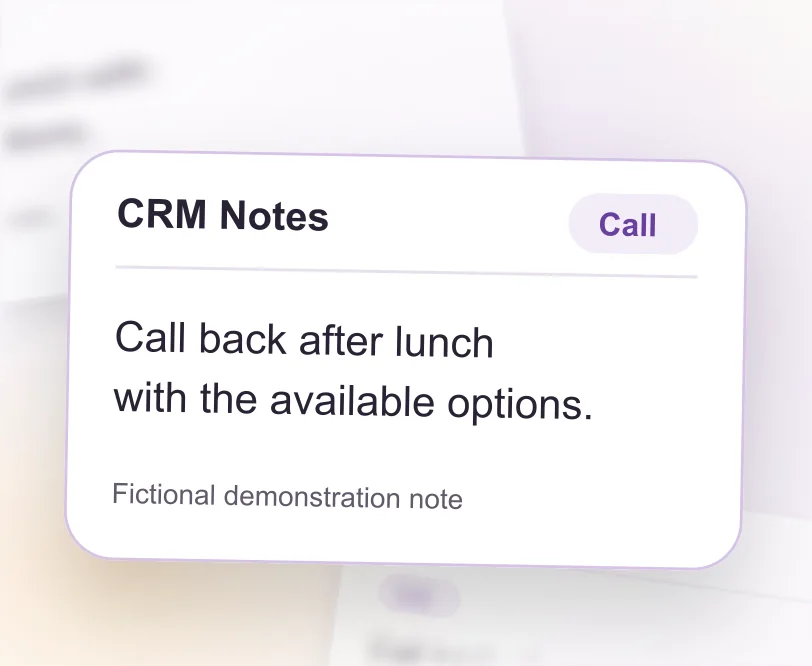
Record customer requirements and useful notes from calls or visits. Keep important interactions together, so the next conversation starts with the right context.

MUKBI · Keep Customer Details and Notes Together
Fictional General, Visit and Call notes in the genuine MUKBI customer notes interface.
Demonstration data.

MUKBI · Keep Customer Details and Notes Together

Demonstration data. Scroll to explore the full screenshot.

Fictional General, Visit and Call notes in the genuine MUKBI customer notes interface.

A little more clarity, every day

Make room for what matters.
Your customers.

Bring your customer enquiries, WhatsApp conversations and follow-ups into your working day with MUKBI.

Start Your Free Trial

Start with a 14-day free trial.